

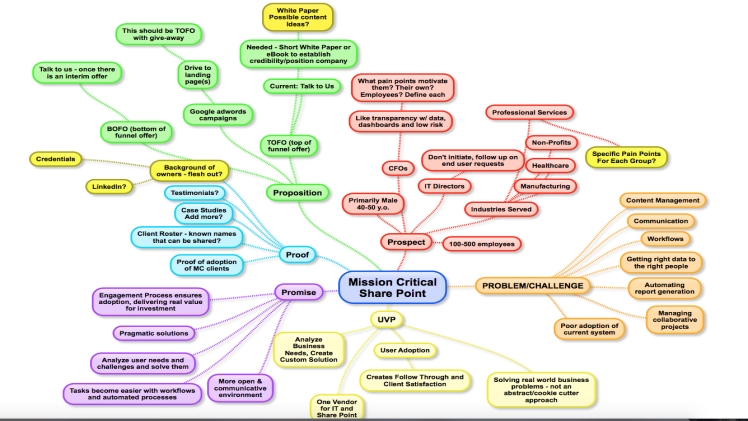
If you are one of those people who has a lot of ideas in your head but can’t sort out your thoughts and come up with a solution, we’re there for you. Whether you struggle with work or studying, each of us has a moment like that when we think our head will explode from so much information.
The solution to your problem lies in creating a mind map online! This map will help you organize your thoughts and have a simple approach to a possible problem creatively. If you’re new to this and don’t know what it’s all about, roll up your sleeves. With 3 simple tips, you will create your mind map very quickly, and the final result will amaze you!
1. Make a concept of your idea
You need to have a target idea that makes you start creating mind maps, right? Determine what the idea is and write it down. The idea can refer to the problem you are trying to solve, maybe it’s a business project or a difficult learning material that you are trying to learn. You should use words or short phrases here to have enough space to elaborate on the main topic later on.
2. Arrows and branches
We believe that in addition to the main topic of your mind map online, you will also have a large number of subtopics. You should make some connection between them; don’t you think so? You could do this by drawing arrows and connecting the terms. We think you would reach the best solution with a maximum of 5 subtopics. Later, as time goes on, and you work out your plan, you can always come back and add more. It’s never too much! Make sure that the subtheme that is most important ones are closer to the main topic from which everything started at first.
3. Be creative
In modern times, the use of visual language is simply implied. When everything is at our fingertips online, we need to distinguish one company product or service from another. This is exactly what is achieved through design and creativity. If you’re going to make your mind map online, we advise you to pay close attention to this part. With different colors, photos, fonts, you can more easily remember the term and separate it from something else.
When it comes to colors, you can rank terms by importance based on color. For example, dark blue will be the subtitle that is closest to the main theme, as you move away from it, the color fades until we reach light blue.
Also, arrows can do a lot in your text memorization and organization. You can use thicker lines for those terms between which there is a strong connection, while you could use dashed lines as information that there is a weak connection between two topics.
Don’t be afraid to add a photo to your online mind map. In fact, with visual elements like photography, emoji, thumbnails, you’ll make it easier for yourself to use this map effectively. We’re visual beings, so if you add an image for a certain concept, every time you should remember the term, you’ll have a photo in your head that will lead you to the right path of thinking.
I’m sure after reading this article you can’t wait to start this “game”. Now your problem doesn’t seem so difficult to you, does it? All you need for making mind maps online is a good internet connection and a little goodwill, the rest comes by itself.
